
I spent a couple of weeks back in the city and, although I hated being separated from our beloved Dream House, I used the time productively. And by productively I mean that I spent most of my time shopping for the house.

I spent a couple of weeks back in the city and, although I hated being separated from our beloved Dream House, I used the time productively. And by productively I mean that I spent most of my time shopping for the house.
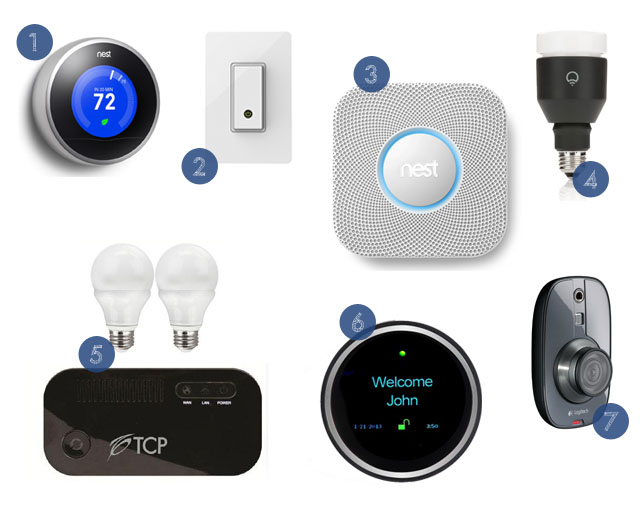
Perhaps it’s because I grew up on endless reruns of The Jetsons but I am completely obsessed with all the advances in automated home technology. It may not be Rosie the Robot, but things like light bulbs and thermostats that can be controlled by smart phone are a reminder that we do indeed live in the 21st century!
 We installed the Nest thermostat in the Dream House back in December and have had only good experiences. We can monitor and control the temperature from our smart phones, whether we’re upstairs or out of state.
 If you’re willing to do a little DIY wiring, this light switch will allow you to control a light or outlet via your smartphone.
 Now that we’ve had a positive experience with Nest’s thermostat, I’m itching to install the company’s smart smoke detector. Not only is is smart phone compatible, it reminds you when to change batteries and lets you deactivate false alarms with the wave of a hand.
 This kit contains three light bulbs, a gateway and a remote control. Use the remote or your smart phone to dim lights or turn them on and off.
 You can add extra cameras to this starter kit for a full home security system. Use your smart phone for remote-viewing of your home. (I want to install this so we can spy on the cat’s hijinks when we’re away.
— J. Blandings
Images: Linked and credited above.
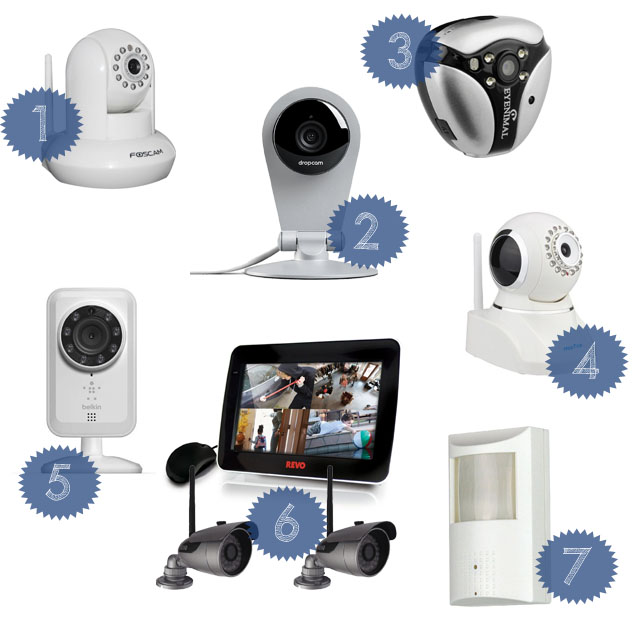
Our apartment building in the city has been experiencing a rash of break-ins lately. While we haven’t personally experienced a burglary in our apartment, the thefts have us thinking about security. Installing a security camera used to mean hiring a company and paying a monthly fee. Thanks to advancements in technology, security cameras are now just another DIY project.
 ($149.99) The Dropcam offers 720p high-definition video as well as two-way talk, intelligent alerts, scheduling and mobile and web apps.
 ($99.95) If you’re worried that Fluffy or Fido destroying the apartment, strap one of these cameras and his collar and see what he gets into while you’re out earning the bacon.
 ($69.99) With two-way audio (“Hey, you, get outta my house!”) and email alerts, this camera would be perfect for keeping an eye on your home even when you’re miles and miles away.
 ($84.65) There’s no computer required for this camera. Simply download the app, connect to your wifi and you’re ready to go.
 ($499.99) For some serious surveillance, this set up offers two cameras, a built-in monitor and DVR recording.
 ($65.99) For the ultimate in covert surveillance, this little camera looks like any other motion detector. However, it has to be connected to a separate CCTV or DVR to view the video.
— J. Blandings
Images: Amazon